Apple Watch Mockups
What's inside
- Applications Photoshop
- File Types PSD
- License Free (see author's terms)
- Author Anthony Boyd Graphics
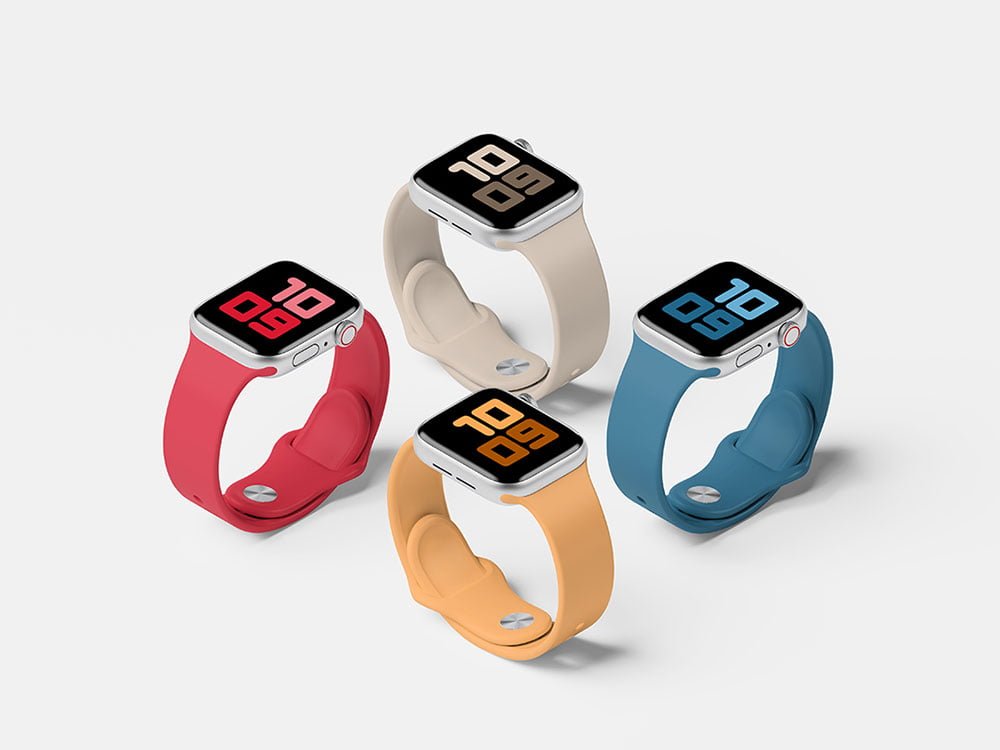
Presenting a notification design? Put it on this apple watch mockup and the client sees the real thing, not a flat file.
It’s a handy file for wearable app teams and UI designers. Quick tip: screenshots with a white background can blend into the bezel; a thin shadow or darker UI reads better.
A screen inside a real device frame explains a product faster than a raw screenshot, which is why it shows up on so many landing pages and app store listings.
This is a free file from Anthony Boyd Graphics. When you click download you’ll land on their page to grab it.
Apple Watch Mockups: editable parts
Open it in Photoshop and you can change:
- Screen design, placed through the smart object
- Shadow under the device
- Device colour, where the file includes it
- Screen glare and reflection layers
Add your design to the Apple Watch Mockups
- Take a clean screenshot of the app or website you want to show.
- Open the PSD in Photoshop and find the smart object layer, usually named “Your Design” or “Place Here”.
- Place your design, hide the sample artwork, save, and go back to the main file.
- Export a full-size image for your portfolio and a smaller one for social media.
Another tip: turn the screen glare layer down if your UI has small type. Glare looks nice but hides detail.
Ways to use this Apple Watch Mockups
- Show a watch face to a client before it goes to print or production.
- Use it as the cover image for a fitness app screen in your portfolio.
- Present a notification design in a client proposal or brand guide.
Quick notes on this mockup
- Made by Anthony Boyd Graphics. The download size and format are listed on their page.
- Check the licence on the author’s page. Personal and commercial terms differ from file to file.
- The preview shows the angle, background and lighting you’ll get.
- Check the smart object size before you design, so your artwork fits without stretching.
Need a different angle? The smartwatch mockups category has plenty more free PSD files.
Questions about this mockup
Can I use this smartwatch mockup for client work?
It's free to download, but the licence belongs to Anthony Boyd Graphics. Check their page: it states whether commercial use is allowed and if attribution is needed.
How do I put my artwork on the smartwatch?
Find the smart object layer (it has a small icon on its thumbnail), double-click it, place your design, then save and close that tab.
Which Photoshop version do I need?
A recent Photoshop CC version is best. Older versions can open the file but sometimes have trouble with smart objects and effects.
Can I remove the screen reflection?
Usually yes. Reflections and glare are normally a separate layer that you can hide or lower in opacity.