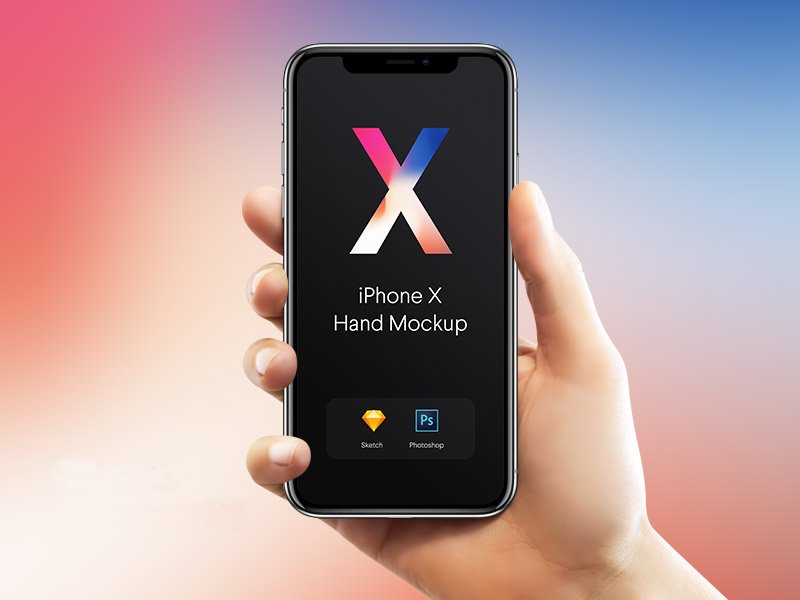
iPhone X Hands Mockup
What's inside
- Applications Photoshop
- File Types PSD
- License Free (see author's terms)
- Author Dribbble
Show a website on mobile the way it will actually look: on an iPhone x hands mockup.
UI freelancers and app designers tend to get the most out of files like this. Tip: for recent iPhones, keep important UI clear of the notch or Dynamic Island area.
It’s also a quick way to make case study images look consistent: same device, same angle, different screens. For a fuller case study, combine it with a laptop or tablet mockup showing the desktop version.
Good for
- A website on mobile
- An Instagram story design
- A landing page
A designer on Dribbble created this one and hosts the download on their own site, so you always get the latest version straight from the source.
iPhone X Hands Mockup: editable parts
The PSD is layered, so you can change:
- Screen design, placed through the smart object
- Shadow under the device
- Screen glare and reflection layers
Editing the iPhone X Hands Mockup, step by step
- Export your screen design as a PNG at the exact size of the screen smart object.
- Open the file in Photoshop and double-click the smart object thumbnail in the Layers panel.
- Paste your design, resize it to fill the area, then save (Ctrl/Cmd + S) and close that tab.
- Export with File › Export › Export As: JPG for sharing, PNG for the web.
Another tip: for app store or portfolio images, crop tight around the device so the screen fills most of the frame.
Where the iPhone X Hands Mockup works best
- Present an Instagram story design in a client proposal or brand guide.
- Make two or three colour versions of a website on mobile and let the client pick.
- Show a landing page to a client before it goes to print or production.
Before you download
- Made by a designer on Dribbble. The download size and format are listed on their page.
- Check the licence on the author’s page. Personal and commercial terms differ from file to file.
- Some free mockups ask for credit when you post them. A short line in your caption is enough.
- Built for Adobe Photoshop. A recent CC version handles the smart objects best.
Browse more free iphone mockups on Artistic Orbit, with new files added every day.
Questions about this mockup
Can I use this iPhone mockup for client work?
A designer on Dribbble sets the licence, and it can differ from file to file. Many free files allow personal and commercial use, but some are personal-only or ask for credit. Read the terms on the download page before a paid project.
How do I put my artwork on the iPhone?
Find the smart object layer (it has a small icon on its thumbnail), double-click it, place your design, then save and close that tab.
Do I need Photoshop?
Yes. This is a PSD mockup built with smart objects, so you edit it in Adobe Photoshop. Any recent CC version works.
Can I remove the screen reflection?
Usually yes. Reflections and glare are normally a separate layer that you can hide or lower in opacity.