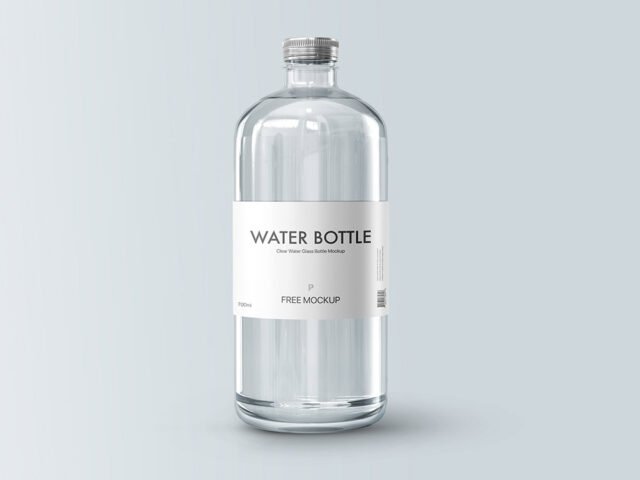
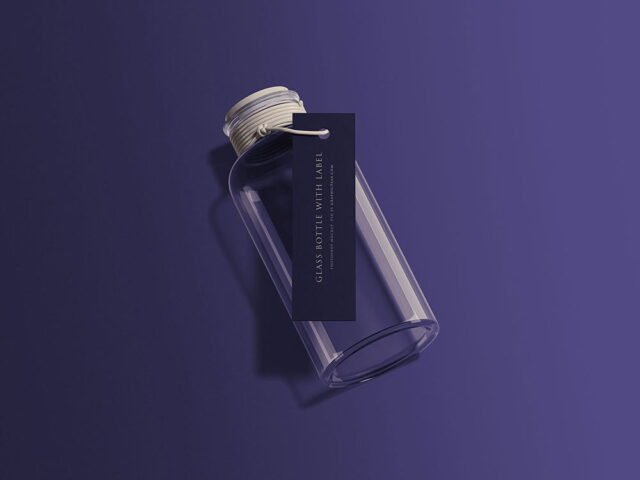
Juice Bottles Mockup

What's inside
- Applications Photoshop
- File Types PSD
- License Free (see author's terms)
- Author Mr.Mockup
This juice bottles mockup is one of the simpler ways to present a sauce or oil label or a drink label convincingly.
Beverage brands and craft producers tend to get the most out of files like this. Tip: leave a little breathing room around the label edge so the highlight strip does not cut through your logo.
Beverage and beauty brands use renders like this on their shop pages long before the first production batch. Pair it with a box or bag mockup to show the full product range.
This is a free file from Mr.Mockup. When you click download you’ll land on their page to grab it.
What you can edit in this Juice Bottles Mockup
The PSD is layered, so you can change:
- Label artwork, placed through the smart object
- Shadows
- Background colour
Add your design to the Juice Bottles Mockup
- Export the label at the size of the smart object.
- In the Layers panel, find the layer with the small smart object icon and double-click it.
- Drop your artwork in, fit it to the canvas, save and close. The mockup updates by itself.
- Change the background to your brand colour.
- Save a JPG for clients and social media, and keep the PSD for later changes.
Worth remembering: transparent or glass items show the background through. Test your label on the actual background colour you’ll use.
Best uses for this Juice Bottles Mockup
- Use it as the cover image for a drink label in your portfolio.
- Make two or three colour versions of a sauce or oil label and let the client pick.
- Share a wine or spirit label on Instagram, Behance or Dribbble with a real-looking preview.
Quick notes on this mockup
- Made by Mr.Mockup. The download size and format are listed on their page.
- Check the smart object size before you design, so your artwork fits without stretching.
- Some free mockups ask for credit when you post them. A short line in your caption is enough.
- Check the licence on the author’s page. Personal and commercial terms differ from file to file.
More free bottle mockups are listed below, each linking to the original author.
Questions about this mockup
Is it free for commercial use?
It's free to download, but the licence belongs to Mr.Mockup. Check their page: it states whether commercial use is allowed and if attribution is needed.
How do I add my design?
Open the file in Photoshop, double-click the smart object thumbnail, paste or place your artwork in the new tab, save it (Ctrl/Cmd + S) and close. The main file updates on its own.
Which Photoshop version do I need?
A recent Photoshop CC version is best. Older versions can open the file but sometimes have trouble with smart objects and effects.
Will the label bend with the shape?
Good curved-product mockups use a warp so the label wraps around. The preview shows it: if the edges of the label curve away, it does.
Why does the download open another website?
We list free files from designers around the web and link to the original page, so Mr.Mockup gets the visit and you get the file exactly as they published it.