Medical Scrubs Mockup

What's inside
- Applications Photoshop
- File Types PSD
- License Free (see author's terms)
- Author Zippypixels
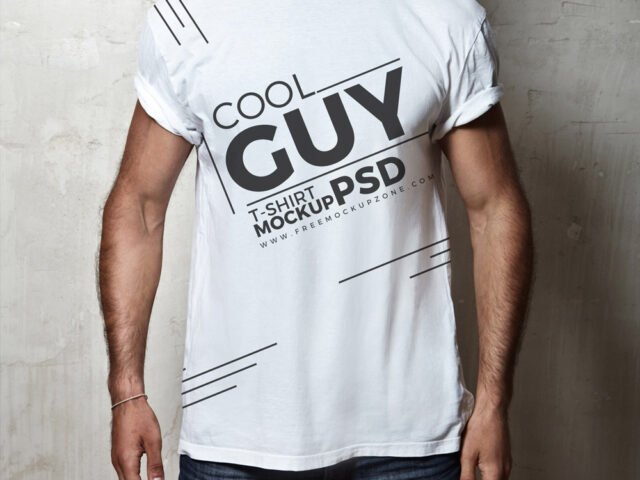
This medical scrubs mockup is one of the simpler ways to present a band merch print or a small chest logo convincingly.
Useful for clothing brands as much as for merch sellers. Keep chest prints around a third of the shirt width. Oversized art looks unrealistic on a folded or worn garment.
Selling merch online without photos of every colour is hard; a good apparel mockup fills that gap until the samples arrive. Add a hoodie or sweatshirt shot next to it and you have a basic collection page.
Credit goes to Zippypixels. We link to their download page rather than re-uploading the file, so check their terms there before commercial use.
What’s inside the Medical Scrubs Mockup PSD
The PSD is layered, so you can change:
- Print design, placed through the smart object
- Background colour
- Folds and wrinkles that wrap your print
Editing the Medical Scrubs Mockup, step by step
- Decide where the design sits on the item and size your art for that spot.
- In the Layers panel, find the layer with the small smart object icon and double-click it.
- Drop your artwork in, fit it to the canvas, save and close. The mockup updates by itself.
- Change the fabric colour with the colour fill layer.
- Export a full-size image for your portfolio and a smaller one for social media.
Light prints on light fabric vanish; try the garment colour layer first before you change your artwork.
Where the Medical Scrubs Mockup works best
- Share a band merch print on Instagram, Behance or Dribbble with a real-looking preview.
- Show a back print on your online shop or product page.
- Present a slogan in a client proposal or brand guide.
Before you download
- Made by Zippypixels. The download size and format are listed on their page.
- Check the licence on the author’s page. Personal and commercial terms differ from file to file.
- Check the smart object size before you design, so your artwork fits without stretching.
Scroll down for similar t shirt mockups from other designers.
Questions about this mockup
Can I use this T-shirt mockup for client work?
That depends on the author's terms. The download page lists what is allowed; when in doubt, ask the author directly.
How do I add my design?
Open the file in Photoshop, double-click the smart object thumbnail, paste or place your artwork in the new tab, save it (Ctrl/Cmd + S) and close. The main file updates on its own.
Do I need Photoshop?
Yes. This is a PSD mockup built with smart objects, so you edit it in Adobe Photoshop. Any recent CC version works.
Can I change the fabric colour?
Almost every apparel mockup has a colour fill or adjustment layer for the garment. Double-click its thumbnail and pick your colour.
Why does the download open another website?
We list free files from designers around the web and link to the original page, so Zippypixels gets the visit and you get the file exactly as they published it.