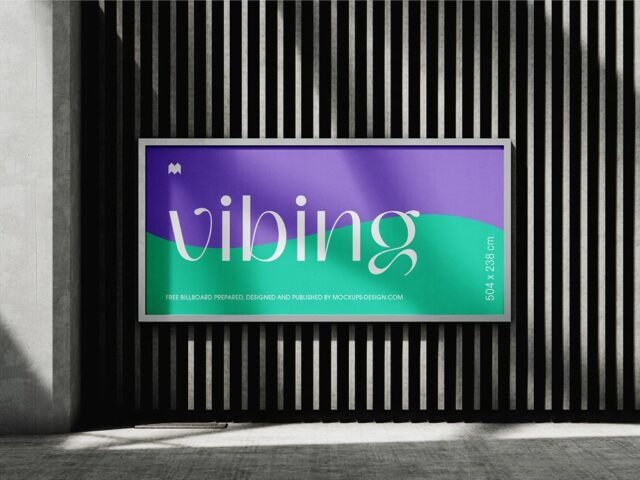
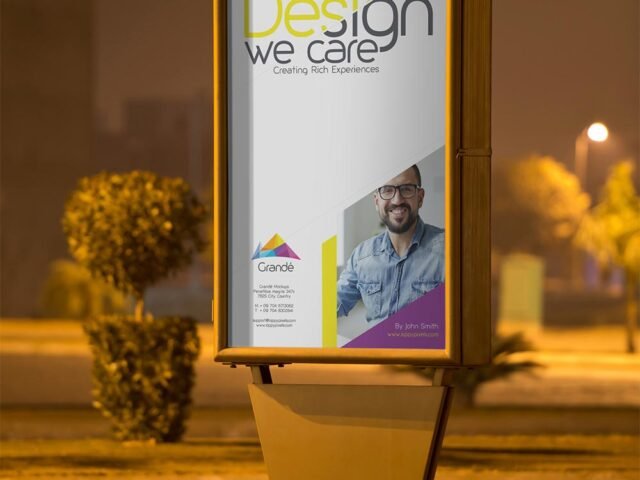
Outdoor Vertical Billboard Mockup

What's inside
- Applications Photoshop
- File Types PSD
- License Free (see author's terms)
- Author Pixpine
This outdoor vertical billboard mockup is one of the simpler ways to present an ad campaign or a product launch visual convincingly.
Good pick for ad agencies, students pitching campaigns or anyone putting together a portfolio. Outdoor ads are read in a second or two. Big type and one image will look far better in this scene than a busy layout.
Agencies use scenes like this in pitch decks, where a realistic placement often sells the idea more than the artwork alone.
Credit goes to Pixpine. We link to their download page rather than re-uploading the file, so check their terms there before commercial use.
What’s inside the Outdoor Vertical Billboard Mockup PSD
Open it in Photoshop and you can change:
- Ad artwork, placed through the smart object
- Brightness to match the scene
- Glow layer for backlit scenes, where included
Add your design to the Outdoor Vertical Billboard Mockup
- Export the ad artwork large so it stays sharp in the scene.
- Open the PSD in Photoshop and find the smart object layer, usually named “Your Design” or “Place Here”.
- Place your design, hide the sample artwork, save, and go back to the main file.
- Check the crop so faces and logos stay inside the frame.
- Export a full-size image for your portfolio and a smaller one for social media.
Another tip: match the brightness of your design to the scene; a very bright graphic in a shaded spot looks pasted in.
Ways to use this Outdoor Vertical Billboard Mockup
- Use it as the cover image for a product launch visual in your portfolio.
- Show an ad campaign on your online shop or product page.
- Make two or three colour versions of a movie poster and let the client pick.
Before you download
- Made by Pixpine. The download size and format are listed on their page.
- Some free mockups ask for credit when you post them. A short line in your caption is enough.
- Built for Adobe Photoshop. A recent CC version handles the smart objects best.
Need a different angle? The billboard mockups category has plenty more free PSD files.
Questions about this mockup
Can I use this billboard mockup for client work?
It's free to download, but the licence belongs to Pixpine. Check their page: it states whether commercial use is allowed and if attribution is needed.
How do I put my artwork on the billboard?
Find the smart object layer (it has a small icon on its thumbnail), double-click it, place your design, then save and close that tab.
Do I need Photoshop?
Yes. This is a PSD mockup built with smart objects, so you edit it in Adobe Photoshop. Any recent CC version works.
Can I change the surroundings?
Usually only lighting and shadows are adjustable. The street, sky or building are part of the photo.