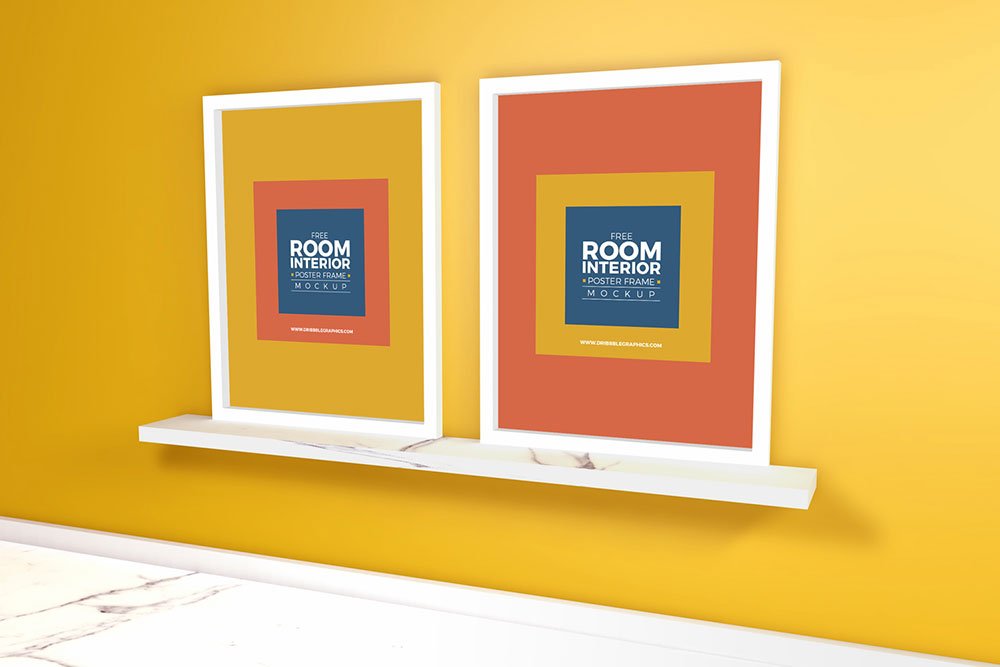
Room Interior Poster Frame Mockup
What's inside
- Applications Photoshop
- File Types PSD
- License Free (see author's terms)
- Author Dribbble Graphics
Here’s a room interior poster frame mockup that works well for a certificate, a quote print and similar projects.
Useful for artists as much as for Etsy print sellers. If you sell prints, show the same artwork in two or three frames so buyers can picture it at home.
It helps you judge scale too: artwork that looks right on screen can feel tiny once it’s framed in a room.
Good for
- A certificate
- A quote print
- An art print
This is a free file from Dribbble Graphics. When you click download you’ll land on their page to grab it.
What’s inside the Room Interior Poster Frame Mockup PSD
Open it in Photoshop and you can change:
- Artwork, placed through the smart object
- Glass reflection layer
- Frame colour, where the file offers options
Add your design to the Room Interior Poster Frame Mockup
- Choose artwork with the same ratio as the frame (often 2:3, 3:4, 4:5 or an A-size).
- In the Layers panel, find the layer with the small smart object icon and double-click it.
- Paste your design, resize it to fill the area, then save (Ctrl/Cmd + S) and close that tab.
- Try other artwork in the same room scene.
- Export a full-size image for your portfolio and a smaller one for social media.
Another tip: match the frame ratio to your print (A-series, 4:5, 2:3). Printing sellers get returns when the preview ratio is wrong.
Ways to use this Room Interior Poster Frame Mockup
- Make two or three colour versions of an art print and let the client pick.
- Share a certificate on Instagram, Behance or Dribbble with a real-looking preview.
- Present a photo in a client proposal or brand guide.
Good to know
- Made by Dribbble Graphics. The download size and format are listed on their page.
- Check the smart object size before you design, so your artwork fits without stretching.
- The preview shows the angle, background and lighting you’ll get.
Browse more free frame mockups on Artistic Orbit, with new files added every day.
Questions about this mockup
What licence does it come with?
Dribbble Graphics sets the licence, and it can differ from file to file. Many free files allow personal and commercial use, but some are personal-only or ask for credit. Read the terms on the download page before a paid project.
How do I add my design?
Open the file in Photoshop, double-click the smart object thumbnail, paste or place your artwork in the new tab, save it (Ctrl/Cmd + S) and close. The main file updates on its own.
Which Photoshop version do I need?
A recent Photoshop CC version is best. Older versions can open the file but sometimes have trouble with smart objects and effects.
Can I change the frame colour?
Many frame mockups include black, white and wood options or a colour layer for the frame itself. The preview usually shows the options.