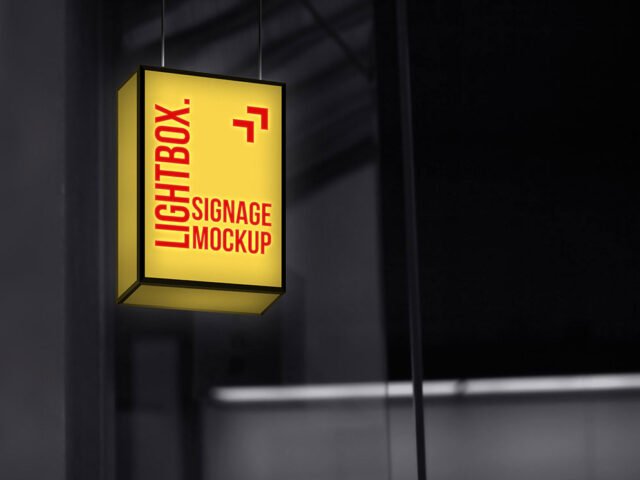
Street Citylight Poster Mockup

What's inside
- Applications Photoshop
- File Types PSD
- License Free (see author's terms)
- Author Mockups Design
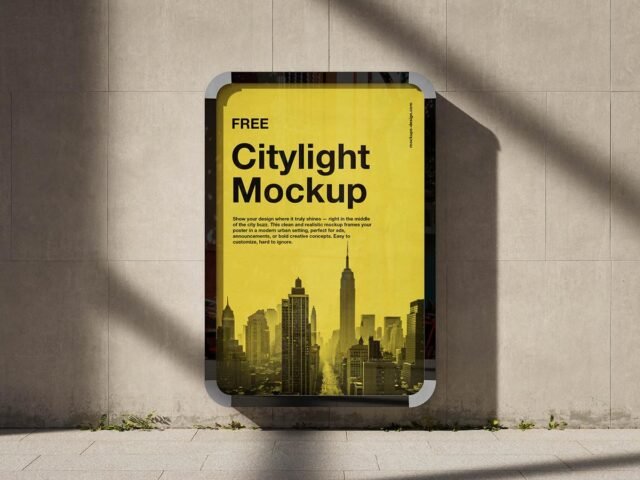
Need to show a city lightbox ad to a client? This street citylight poster mockup does the job in a few minutes.
Good pick for city marketers, campaign designers or anyone putting together a portfolio. Quick tip: outdoor ads are read in a second or two. Big type and one image will look far better in this scene than a busy layout.
It’s also handy for student and portfolio work, when you want to show a campaign that never went live.
Use it for
- A city lightbox ad
- A transit ad
- A campaign poster
Credit goes to Mockups Design. We link to their download page rather than re-uploading the file, so check their terms there before commercial use.
What’s inside the Street Citylight Poster Mockup PSD
Everything below is on its own layer:
- Ad artwork, placed through the smart object
- Brightness to match the scene
- Lighting and shadow layers
- Glow layer for backlit scenes, where included
Editing the Street Citylight Poster Mockup, step by step
- Keep the ad simple: one image, a short headline and the logo.
- In the Layers panel, find the layer with the small smart object icon and double-click it.
- Place your design, hide the sample artwork, save, and go back to the main file.
- Save a JPG for clients and social media, and keep the PSD for later changes.
Worth remembering: check your artwork’s aspect ratio against the smart object before you start, or faces and logos get cropped.
Best uses for this Street Citylight Poster Mockup
- Share a city lightbox ad on Instagram, Behance or Dribbble with a real-looking preview.
- Make two or three colour versions of a campaign poster and let the client pick.
- Show a transit ad to a client before it goes to print or production.
Before you download
- Made by Mockups Design. The download size and format are listed on their page.
- Built for Adobe Photoshop. A recent CC version handles the smart objects best.
- The preview shows the angle, background and lighting you’ll get.
More free bus stop mockups are listed below, each linking to the original author.
Questions about this mockup
What licence does it come with?
It's free to download, but the licence belongs to Mockups Design. Check their page: it states whether commercial use is allowed and if attribution is needed.
How do I add my design?
Open the file in Photoshop, double-click the smart object thumbnail, paste or place your artwork in the new tab, save it (Ctrl/Cmd + S) and close. The main file updates on its own.
Do I need Photoshop?
Yes. This is a PSD mockup built with smart objects, so you edit it in Adobe Photoshop. Any recent CC version works.
Can I change the surroundings?
Usually only lighting and shadows are adjustable. The street, sky or building are part of the photo.