Tin Canister Mockup
What's inside
- Applications Photoshop
- File Types PSD
- License Free (see author's terms)
- Author Pixelbuddha
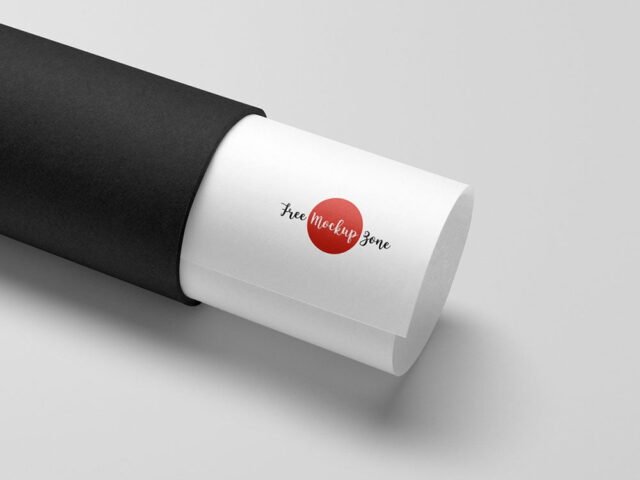
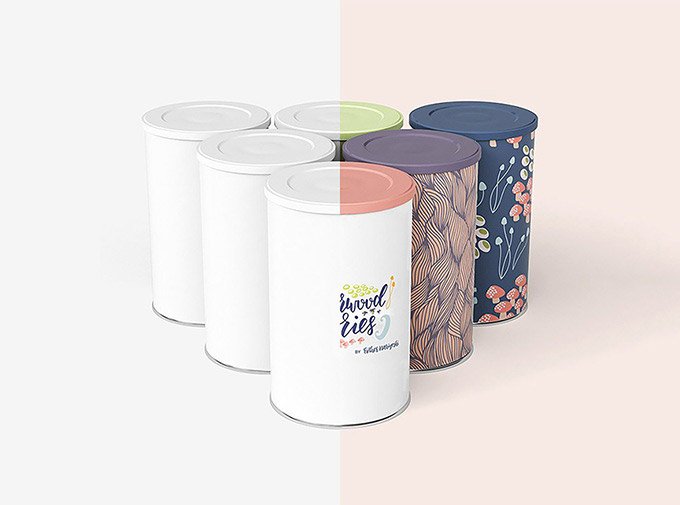
A tin canister mockup, made for presenting a product label. Drop in your artwork and the lighting and shadows stay as they are.
Useful for packaging designers as much as for food and health brands. Quick tip: build the label or dieline flat first, then place it; bending text inside the mockup is harder to fix later.
Packaging is judged on the shelf in a couple of seconds, so seeing the design on the real shape tells you more than the flat dieline ever will. Show it with a shipping box or bag from the same range to present the whole unboxing.
The file is made by Pixelbuddha. The download button takes you to their page, where you get the original file and the licence details.
What you can edit in this Tin Canister Mockup
The PSD is layered, so you can change:
- Label or box artwork, placed through the smart object
- Background colour
- Shadows
Add your design to the Tin Canister Mockup
- Export each side of the pack as its own image if the file has separate smart objects.
- Open the file in Photoshop and double-click the smart object thumbnail in the Layers panel.
- Paste your design, resize it to fill the area, then save (Ctrl/Cmd + S) and close that tab.
- Check each visible side so the panels line up.
- Export with File › Export › Export As: JPG for sharing, PNG for the web.
Another tip: render two colour versions side by side. Clients choose faster when they compare.
Best uses for this Tin Canister Mockup
- Present full packaging artwork in a client proposal or brand guide.
- Make two or three colour versions of a food container design and let the client pick.
- Show a product label to a client before it goes to print or production.
Good to know
- Made by Pixelbuddha. The download size and format are listed on their page.
- Some free mockups ask for credit when you post them. A short line in your caption is enough.
- The preview shows the angle, background and lighting you’ll get.
- Check the licence on the author’s page. Personal and commercial terms differ from file to file.
Need a different angle? The packaging mockups category has plenty more free PSD files.
Questions about this mockup
What licence does it come with?
Pixelbuddha sets the licence, and it can differ from file to file. Many free files allow personal and commercial use, but some are personal-only or ask for credit. Read the terms on the download page before a paid project.
How do I put my artwork on the package?
Find the smart object layer (it has a small icon on its thumbnail), double-click it, place your design, then save and close that tab.
Do I need Photoshop?
Yes. This is a PSD mockup built with smart objects, so you edit it in Adobe Photoshop. Any recent CC version works.
Can I change the packaging colour?
Usually yes. There is normally a colour layer under the design smart object, so you can change the base colour without touching your artwork.