Balloon Mock-up
What's inside
- Applications Photoshop
- File Types PSD
- License Free (see author's terms)
- Author GraphicPear
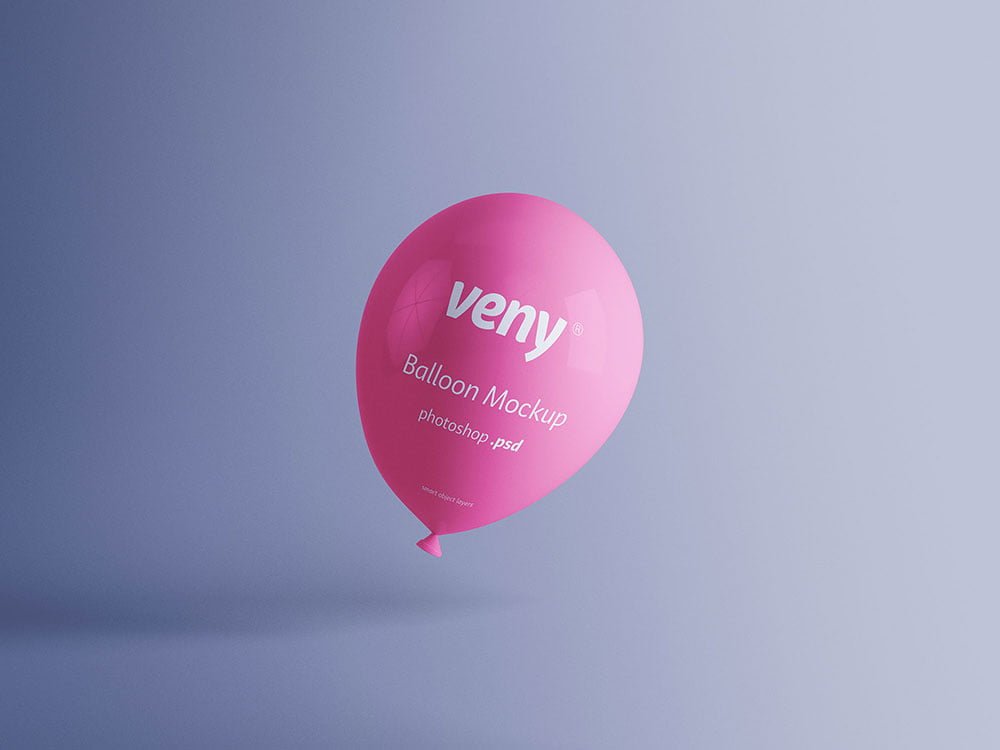
A balloon mockup, made for presenting a pattern. Drop in your artwork and the lighting and shadows stay as they are.
Good pick for small brands, students or anyone putting together a portfolio. Quick tip: keep your artwork simple. Small objects shrink details quickly, so a bold mark reads better than fine lines.
It’s a nice extra slide in a branding presentation, after the logo and the main applications.
Credit goes to GraphicPear. We link to their download page rather than re-uploading the file, so check their terms there before commercial use.
Editable options in the Balloon Mock-up PSD
The PSD is layered, so you can change:
- Logo or artwork, placed through the smart object
- Shadows
- Object colour, where included
Editing the Balloon Mock-up, step by step
- Prepare the artwork in your brand colours.
- Open the PSD in Photoshop and find the smart object layer, usually named “Your Design” or “Place Here”.
- Drop your artwork in, fit it to the canvas, save and close. The mockup updates by itself.
- Adjust the shadow so the object sits on the surface.
- Export a full-size image for your portfolio and a smaller one for social media.
Another tip: use a PNG with transparency for logos so the material around them keeps its texture.
Ways to use this Balloon Mock-up
- Use it as the cover image for a logo in your portfolio.
- Show a product design on your online shop or product page.
- Share a pattern on Instagram, Behance or Dribbble with a real-looking preview.
Good to know
- Made by GraphicPear. The download size and format are listed on their page.
- Built for Adobe Photoshop. A recent CC version handles the smart objects best.
- The preview shows the angle, background and lighting you’ll get.
Scroll down for similar other mockups from other designers.
Questions about this mockup
Can I use this mockup mockup for client work?
It's free to download, but the licence belongs to GraphicPear. Check their page: it states whether commercial use is allowed and if attribution is needed.
How do I add my design?
Open the file in Photoshop, double-click the smart object thumbnail, paste or place your artwork in the new tab, save it (Ctrl/Cmd + S) and close. The main file updates on its own.
Which Photoshop version do I need?
A recent Photoshop CC version is best. Older versions can open the file but sometimes have trouble with smart objects and effects.
Can I change the background?
Most object mockups have a background colour or image layer at the bottom of the stack that you can swap.