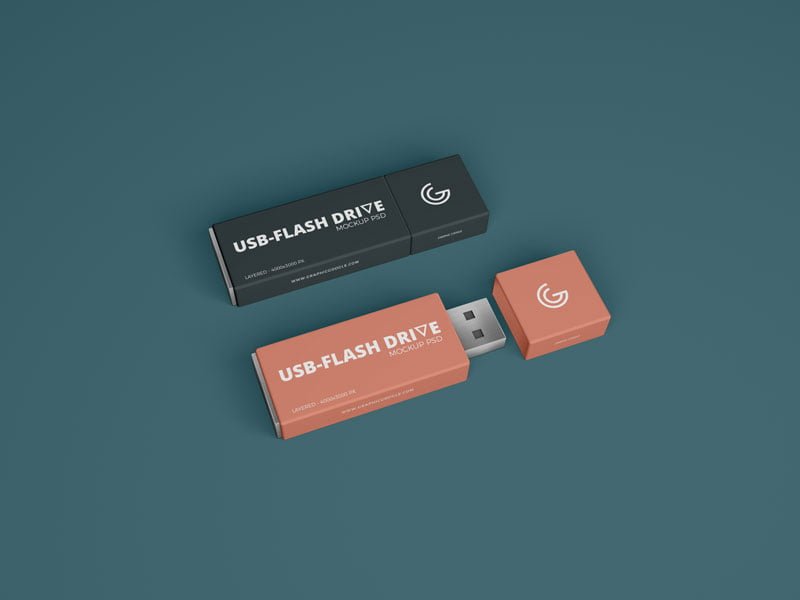
USB Flash Drive Mockup
What's inside
- Applications Photoshop
- File Types PSD
- License Free (see author's terms)
- Author Graphic Google
Need to show merch branding to a client? This USB flash drive mockup does the job in a few minutes.
Good pick for Etsy sellers, product designers or anyone putting together a portfolio. Use a PNG with transparency for logos so the material around them keeps its texture.
It’s a nice extra slide in a branding presentation, after the logo and the main applications.
Works well for
- Merch branding
- A pattern
- A small logo
This is a free file from Graphic Google. When you click download you’ll land on their page to grab it.
USB Flash Drive Mockup: editable parts
Main things you can change in Photoshop:
- Logo or artwork, placed through the smart object
- Shadows
- Object colour, where included
- Background colour
Add your design to the USB Flash Drive Mockup
- Prepare the artwork in your brand colours.
- Open the PSD in Photoshop and find the smart object layer, usually named “Your Design” or “Place Here”.
- Place your design, hide the sample artwork, save, and go back to the main file.
- Try the logo in one colour and full colour.
- Export a full-size image for your portfolio and a smaller one for social media.
Worth remembering: change the background colour to your brand palette; it does more for the final image than people expect.
Best uses for this USB Flash Drive Mockup
- Share a small logo on Instagram, Behance or Dribbble with a real-looking preview.
- Show merch branding on your online shop or product page.
- Use it as the cover image for a pattern in your portfolio.
Good to know
- Made by Graphic Google. The download size and format are listed on their page.
- Check the licence on the author’s page. Personal and commercial terms differ from file to file.
- Check the smart object size before you design, so your artwork fits without stretching.
More free accessories mockups are listed below, each linking to the original author.
Questions about this mockup
Is it free for commercial use?
That depends on the author's terms. The download page lists what is allowed; when in doubt, ask the author directly.
How do I put my artwork on the accessory?
Find the smart object layer (it has a small icon on its thumbnail), double-click it, place your design, then save and close that tab.
Which Photoshop version do I need?
A recent Photoshop CC version is best. Older versions can open the file but sometimes have trouble with smart objects and effects.
Can I change the background?
Most object mockups have a background colour or image layer at the bottom of the stack that you can swap.
Why does the download open another website?
We list free files from designers around the web and link to the original page, so Graphic Google gets the visit and you get the file exactly as they published it.