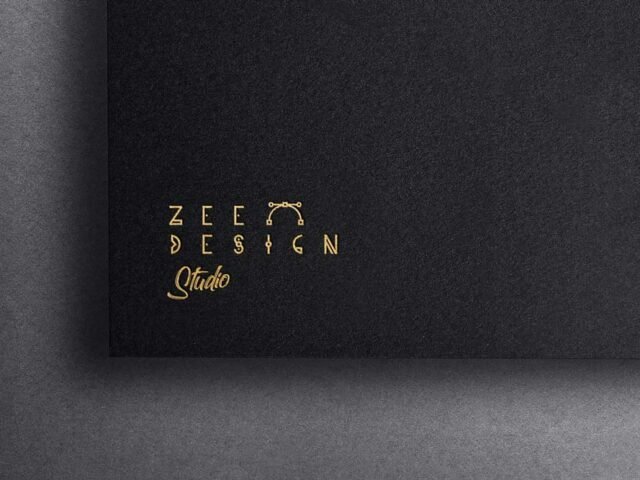
Frozen Light Logo Mockup

What's inside
- Applications Photoshop
- File Types PSD
- License Free (see author's terms)
- Author Pixelbuddha
Presenting a signage concept? Put it on this frozen light logo mockup and the client sees the real thing, not a flat file.
Useful for freelancers on Behance as much as for logo designers. Quick tip: use CMYK-friendly colours in the artwork itself, even though the mockup is RGB, so what the client sees is close to print.
Logo reveals like this are usually the first image in a branding case study, so it’s worth getting the material right.
Pixelbuddha created this one and hosts the download on their own site, so you always get the latest version straight from the source.
What’s inside the Frozen Light Logo Mockup PSD
Everything below is on its own layer:
- Your design, placed through the smart object
- Front and back artwork, where both sides are shown
- Paper texture you can turn up or down
- Shadows and highlights on their own layers
Editing the Frozen Light Logo Mockup, step by step
- Export your artwork as a high-resolution PNG or JPG, around 300 ppi at print size.
- Open the PSD in Photoshop and find the smart object layer, usually named “Your Design” or “Place Here”.
- Drop your artwork in, fit it to the canvas, save and close. The mockup updates by itself.
- Change the background or paper colour with the colour layer.
- Export with File › Export › Export As: JPG for sharing, PNG for the web.
Another tip: keep text at least a few millimetres from the edge. The mockup shows the trim, and cramped margins read as a mistake.
Best uses for this Frozen Light Logo Mockup
- Share a brand mark reveal on Instagram, Behance or Dribbble with a real-looking preview.
- Make two or three colour versions of a signage concept and let the client pick.
- Show a new logo on your online shop or product page.
Good to know
- Made by Pixelbuddha. The download size and format are listed on their page.
- Check the licence on the author’s page. Personal and commercial terms differ from file to file.
- Some free mockups ask for credit when you post them. A short line in your caption is enough.
Scroll down for similar logo mockups from other designers.
Questions about this mockup
Is it free for commercial use?
Pixelbuddha sets the licence, and it can differ from file to file. Many free files allow personal and commercial use, but some are personal-only or ask for credit. Read the terms on the download page before a paid project.
How do I put my artwork on the logo?
Find the smart object layer (it has a small icon on its thumbnail), double-click it, place your design, then save and close that tab.
Do I need Photoshop?
Yes. This is a PSD mockup built with smart objects, so you edit it in Adobe Photoshop. Any recent CC version works.
Does the effect work with any logo?
Effects like foil, emboss or 3D are applied through layer styles, so any logo placed in the smart object gets them. Thin lines and tiny text may lose detail, so test a simplified version too.
Why does the download open another website?
We list free files from designers around the web and link to the original page, so Pixelbuddha gets the visit and you get the file exactly as they published it.