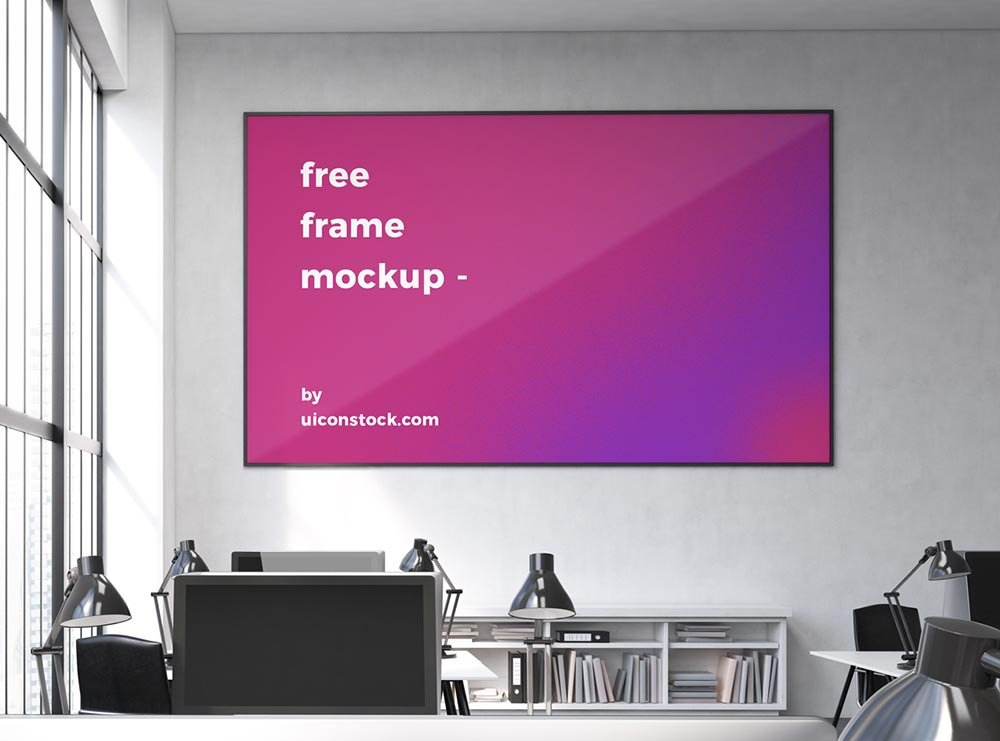
Interior Horizontal Frame Mockup
What's inside
- Applications Photoshop
- File Types PSD
- License Free (see author's terms)
- Author Uiconstock
This interior horizontal frame mockup is one of the simpler ways to present an art print or a quote print convincingly.
Good pick for Etsy print sellers, artists or anyone putting together a portfolio. Quick tip: match the frame ratio to your print (A-series, 4:5, 2:3). Printing sellers get returns when the preview ratio is wrong.
Print sellers on Etsy and similar shops use images like this as the main listing photo, because buyers want to see the piece on a wall.
Good for
- An art print
- A quote print
- A certificate
Credit goes to Uiconstock. We link to their download page rather than re-uploading the file, so check their terms there before commercial use.
What you can edit in this Interior Horizontal Frame Mockup
Open it in Photoshop and you can change:
- Artwork, placed through the smart object
- Shadows on the wall
- Frame colour, where the file offers options
- Glass reflection layer
Editing the Interior Horizontal Frame Mockup, step by step
- Choose artwork with the same ratio as the frame (often 2:3, 3:4, 4:5 or an A-size).
- Open the PSD in Photoshop and find the smart object layer, usually named “Your Design” or “Place Here”.
- Paste your design, resize it to fill the area, then save (Ctrl/Cmd + S) and close that tab.
- Switch the frame colour if the file has options.
- Save a JPG for clients and social media, and keep the PSD for later changes.
Muted artwork tends to look better in bright room scenes, while bold colours suit plain walls.
Ways to use this Interior Horizontal Frame Mockup
- Share a certificate on Instagram, Behance or Dribbble with a real-looking preview.
- Make two or three colour versions of a photo and let the client pick.
- Present an art print in a client proposal or brand guide.
Quick notes on this mockup
- Made by Uiconstock. The download size and format are listed on their page.
- Check the smart object size before you design, so your artwork fits without stretching.
- Built for Adobe Photoshop. A recent CC version handles the smart objects best.
- The preview shows the angle, background and lighting you’ll get.
Scroll down for similar frame mockups from other designers.
Questions about this mockup
Is it free for commercial use?
It's free to download, but the licence belongs to Uiconstock. Check their page: it states whether commercial use is allowed and if attribution is needed.
How do I put my artwork on the frame?
Find the smart object layer (it has a small icon on its thumbnail), double-click it, place your design, then save and close that tab.
Do I need Photoshop?
Yes. This is a PSD mockup built with smart objects, so you edit it in Adobe Photoshop. Any recent CC version works.
What print ratio does the frame take?
Open the smart object and check its canvas size. Frames are usually made for standard ratios like A-series, 4:5 or 2:3.