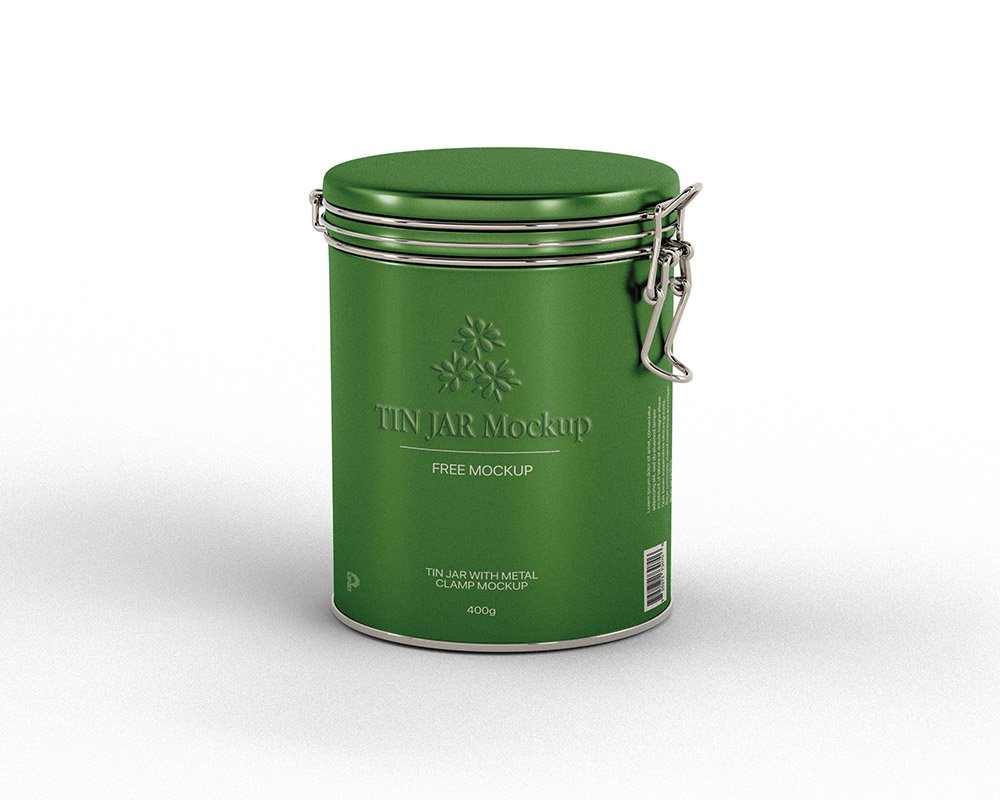
Metal Clamp Tin Can Mockup
What's inside
- Applications Photoshop
- File Types PSD
- License Free (see author's terms)
- Author Pixpine
Need to show merch branding to a client? This metal clamp tin can mockup does the job in a few minutes. The metal surface is the main character here, so designs with some contrast stand out best.
Good pick for Etsy sellers, product designers or anyone putting together a portfolio. Use a PNG with transparency for logos so the material around them keeps its texture.
Merch and gift ideas are much easier to approve when people can see them on the real object. Group it with other merch mockups for a branded items slide.
Pixpine created this one and hosts the download on their own site, so you always get the latest version straight from the source.
Metal Clamp Tin Can Mockup: editable parts
The PSD is layered, so you can change:
- Logo or artwork, placed through the smart object
- Shadows
- Object colour, where included
Editing the Metal Clamp Tin Can Mockup, step by step
- Simplify the design a little; fine details get lost on small objects.
- Open the file in Photoshop and double-click the smart object thumbnail in the Layers panel.
- Place your design, hide the sample artwork, save, and go back to the main file.
- Export a full-size image for your portfolio and a smaller one for social media.
Change the background colour to your brand palette; it does more for the final image than people expect.
Where the Metal Clamp Tin Can Mockup works best
- Present a small logo in a client proposal or brand guide.
- Show merch branding on your online shop or product page.
- Share a pattern on Instagram, Behance or Dribbble with a real-looking preview.
Quick notes on this mockup
- Made by Pixpine. The download size and format are listed on their page.
- Check the licence on the author’s page. Personal and commercial terms differ from file to file.
- Some free mockups ask for credit when you post them. A short line in your caption is enough.
- Built for Adobe Photoshop. A recent CC version handles the smart objects best.
Browse more free accessories mockups on Artistic Orbit, with new files added every day.
Questions about this mockup
Can I use this accessory mockup for client work?
Pixpine sets the licence, and it can differ from file to file. Many free files allow personal and commercial use, but some are personal-only or ask for credit. Read the terms on the download page before a paid project.
How do I put my artwork on the accessory?
Find the smart object layer (it has a small icon on its thumbnail), double-click it, place your design, then save and close that tab.
Do I need Photoshop?
Yes. This is a PSD mockup built with smart objects, so you edit it in Adobe Photoshop. Any recent CC version works.
Can I change the background?
Most object mockups have a background colour or image layer at the bottom of the stack that you can swap.