Shipping Vector Icon Set
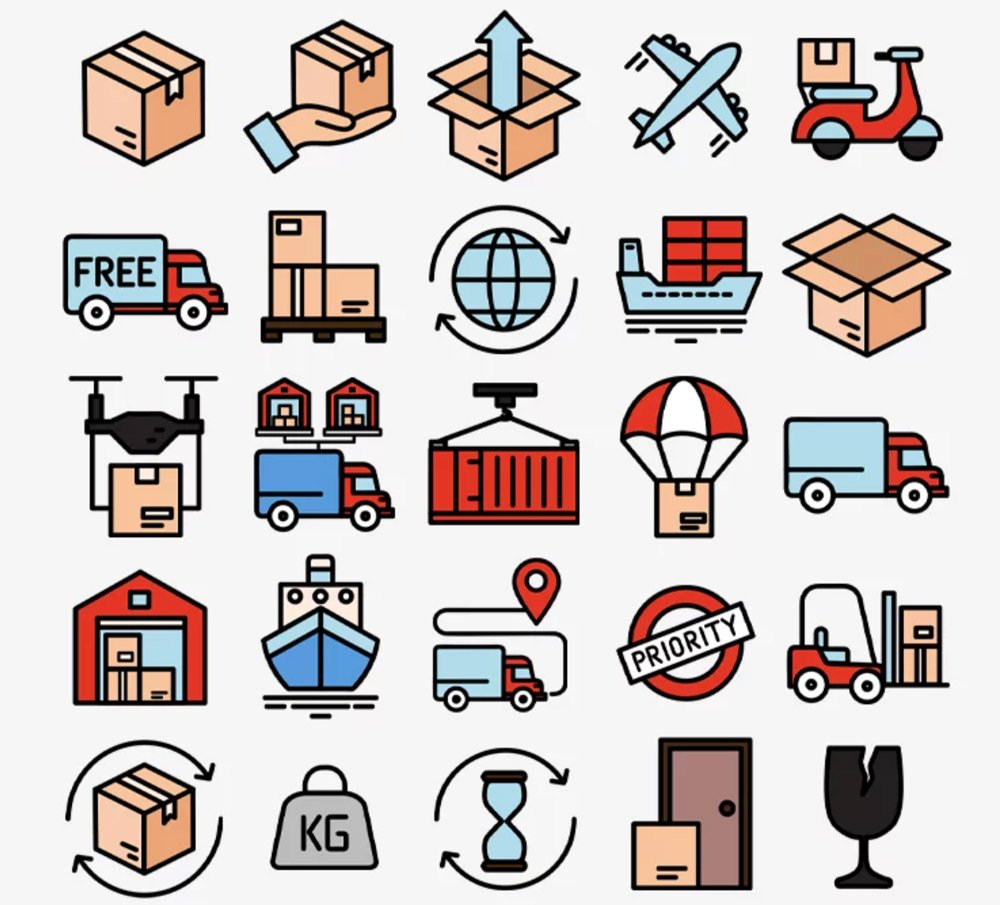
What's inside
- Applications Illustrator
- File Types Vector icons
- License Free (see author's terms)
- Author Free PSD Templates
Looking for something for presentations? Shipping Vector Icon Set is a free icon set worth a try. The multiple views are handy when you need a hero image and a detail shot from the same set.
Good pick for UI designers, developers or anyone putting together a portfolio. A small tip: keep one icon set per project; mixing line weights from different sets is noticeable straight away.
It’s worth keeping a few good icons in your library for quick jobs where you don’t have time to make one from scratch.
Good for
- Presentations
- Websites
- Infographics
Free PSD Templates created this one and hosts the download on their own site, so you always get the latest version straight from the source.
How to use the Shipping Vector Icon Set
- Download the set from the author’s page and unzip it.
- Open the SVG or AI file in Illustrator, or place it in Photoshop.
- Change the colour and stroke to fit your design.
- Export the icons you need as SVG or PNG.
Worth remembering: try the pack on a real project before adding it to your library; it’s the quickest way to see if the style fits.
Quick notes on this mockup
- Made by Free PSD Templates. File size and format are listed on their page.
- The preview shows exactly what’s included.
- Some free packs ask for credit when used publicly.
Browse more free icons on Artistic Orbit, with new files added every day.
Questions about this mockup
What licence does it come with?
That depends on the author's terms. The download page lists what is allowed; when in doubt, ask the author directly.
Can I change the icon colour and size?
Vector icons (AI, SVG, EPS) scale and recolour freely. PNG versions are fixed-size, so use the vector files when you can.