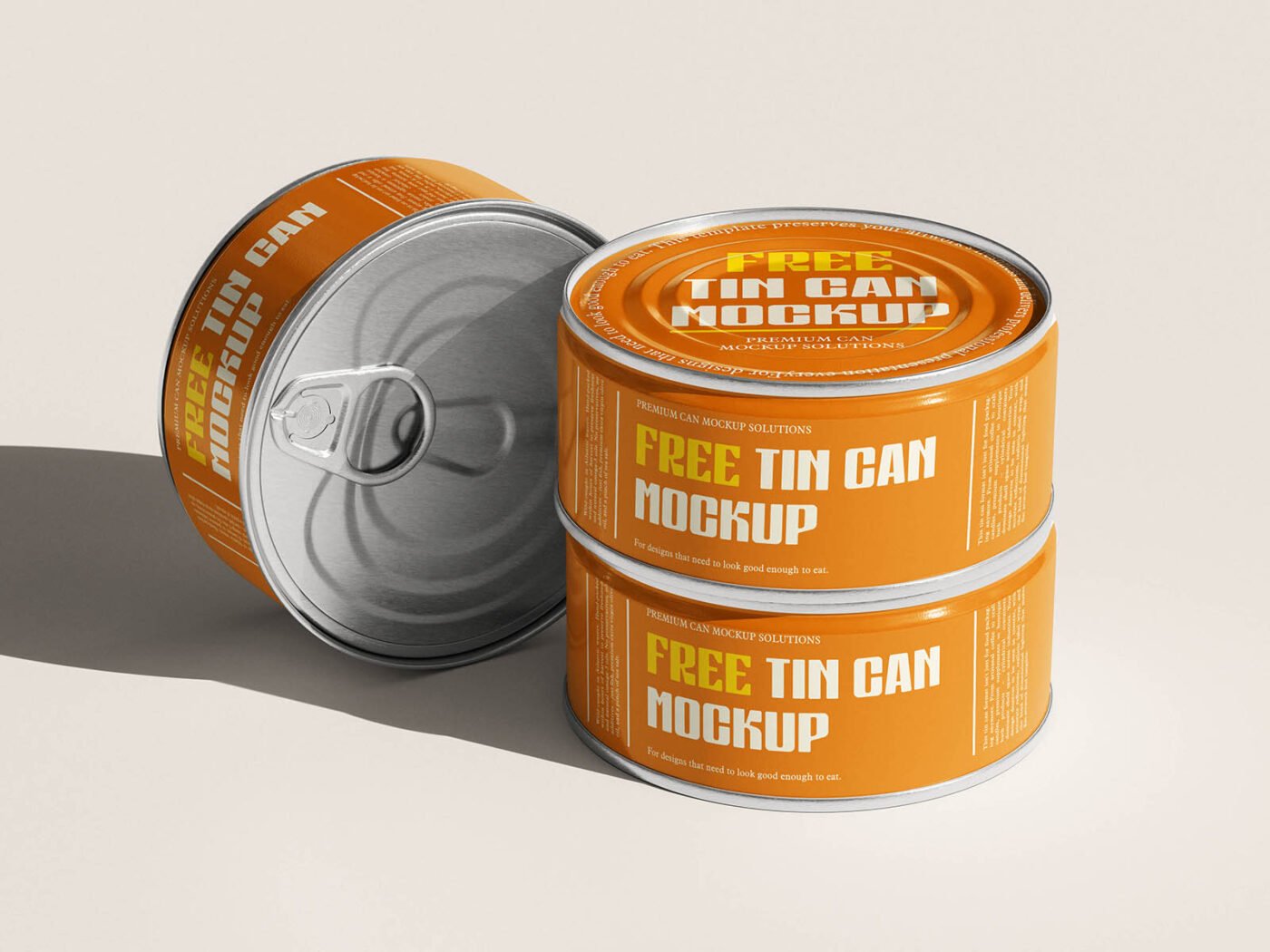
Small Flat Tin Can Mockup
What's inside
- Applications Photoshop
- File Types PSD
- License Free (see author's terms)
- Author Mockups Design
Presenting an energy drink wrap? Put it on this small flat tin can mockup and the client sees the real thing, not a flat file. The tin surface is the main character here, so designs with some contrast stand out best.
It’s a handy file for packaging designers and breweries. A small tip: leave a little breathing room around the label edge so the highlight strip does not cut through your logo.
It’s also a good way to compare a few label directions side by side without printing anything.
This is a free file from Mockups Design. When you click download you’ll land on their page to grab it.
What’s inside the Small Flat Tin Can Mockup PSD
Open it in Photoshop and you can change:
- Label artwork, placed through the smart object
- Shadows
- Background colour
How to use the Small Flat Tin Can Mockup
- Design the label flat and keep the logo in the middle third, where the curve bends it least.
- Open the PSD in Photoshop and find the smart object layer, usually named “Your Design” or “Place Here”.
- Place your design, hide the sample artwork, save, and go back to the main file.
- Change the background to your brand colour.
- Export with File › Export › Export As: JPG for sharing, PNG for the web.
Worth remembering: metallic and glossy finishes look best with a little contrast in the label; very flat pastel labels can look printed on paper.
Ways to use this Small Flat Tin Can Mockup
- Share a soda design on Instagram, Behance or Dribbble with a real-looking preview.
- Show a craft beer label on your online shop or product page.
- Present an energy drink wrap in a client proposal or brand guide.
Before you download
- Made by Mockups Design. The download size and format are listed on their page.
- Built for Adobe Photoshop. A recent CC version handles the smart objects best.
- The preview shows the angle, background and lighting you’ll get.
More free can mockups are listed below, each linking to the original author.
Questions about this mockup
Can I use this can mockup for client work?
Mockups Design sets the licence, and it can differ from file to file. Many free files allow personal and commercial use, but some are personal-only or ask for credit. Read the terms on the download page before a paid project.
How do I put my artwork on the can?
Find the smart object layer (it has a small icon on its thumbnail), double-click it, place your design, then save and close that tab.
Which Photoshop version do I need?
A recent Photoshop CC version is best. Older versions can open the file but sometimes have trouble with smart objects and effects.
Can I change the liquid or container colour?
Most bottle, can and cup mockups keep the container colour on its own layer. Liquid colour, where visible, is usually adjustable too.