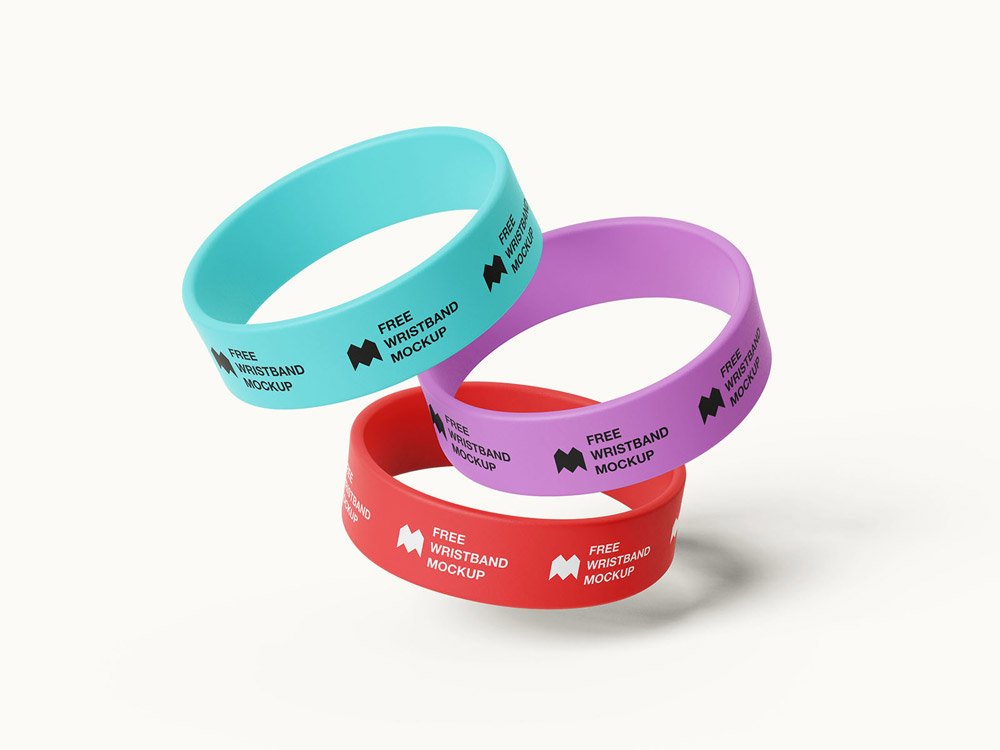
Wide Silicone Wristband Mockup
What's inside
- Applications Photoshop
- File Types PSD
- License Free (see author's terms)
- Author Mockups Design
Need to show a pattern to a client? This wide silicone wristband mockup does the job in a few minutes.
Good pick for product designers, merch brands or anyone putting together a portfolio. A small tip: keep your artwork simple. Small objects shrink details quickly, so a bold mark reads better than fine lines.
It’s a nice extra slide in a branding presentation, after the logo and the main applications.
Good for
- A pattern
- A small logo
- Merch branding
The file is made by Mockups Design. The download button takes you to their page, where you get the original file and the licence details.
Wide Silicone Wristband Mockup: editable parts
The PSD is layered, so you can change:
- Logo or artwork, placed through the smart object
- Background colour
- Object colour, where included
Editing the Wide Silicone Wristband Mockup, step by step
- Simplify the design a little; fine details get lost on small objects.
- Open the file in Photoshop and double-click the smart object thumbnail in the Layers panel.
- Paste your design, resize it to fill the area, then save (Ctrl/Cmd + S) and close that tab.
- Export a full-size image for your portfolio and a smaller one for social media.
One more thing: change the background colour to your brand palette; it does more for the final image than people expect.
Ways to use this Wide Silicone Wristband Mockup
- Share merch branding on Instagram, Behance or Dribbble with a real-looking preview.
- Make two or three colour versions of a small logo and let the client pick.
- Show a pattern to a client before it goes to print or production.
Before you download
- Made by Mockups Design. The download size and format are listed on their page.
- Some free mockups ask for credit when you post them. A short line in your caption is enough.
- Built for Adobe Photoshop. A recent CC version handles the smart objects best.
More free accessories mockups are listed below, each linking to the original author.
Questions about this mockup
Can I use this accessory mockup for client work?
It's free to download, but the licence belongs to Mockups Design. Check their page: it states whether commercial use is allowed and if attribution is needed.
How do I put my artwork on the accessory?
Find the smart object layer (it has a small icon on its thumbnail), double-click it, place your design, then save and close that tab.
Which Photoshop version do I need?
A recent Photoshop CC version is best. Older versions can open the file but sometimes have trouble with smart objects and effects.
Can I change the background?
Most object mockups have a background colour or image layer at the bottom of the stack that you can swap.